Blog
Beautiful Constraint
 ·
I like tools that make good decisions on my behalf. Especially about things I care about, but don’t want to spend time adjusting.
How my notes look is one of those things. I want good typography and a pleasing layout. When I’m writing, though, I just want to focus on the writing.
I’ve approached building client websites in much the same way for at least twenty years.
Give someone too many options in a content management system and they’ll eventually ruin the design. Usually by changing font sizes. Or introducing a new colour. Or centring a paragraph that really shouldn’t be centred.
So I give them a set of things that work together. Blocks, a fixed palette, a few layout choices. The design decisions are built into the tools they use.
The constraints are what keep it beautiful.
I’d always thought of this as part of building websites. Then I read John Gruber, who writes Daring Fireball, making the same case about Apple Notes.
He calls it “prestructured WYSIWYG”, and I’m annoyed I never thought to name it myself.
It’s the kind of editing you get in Apple Notes. You can make a heading, emphasise a word, add a list or link or photo. You get a useful set of formatting choices, without having to choose typefaces or decide how big a heading should be.
As Gruber puts it:
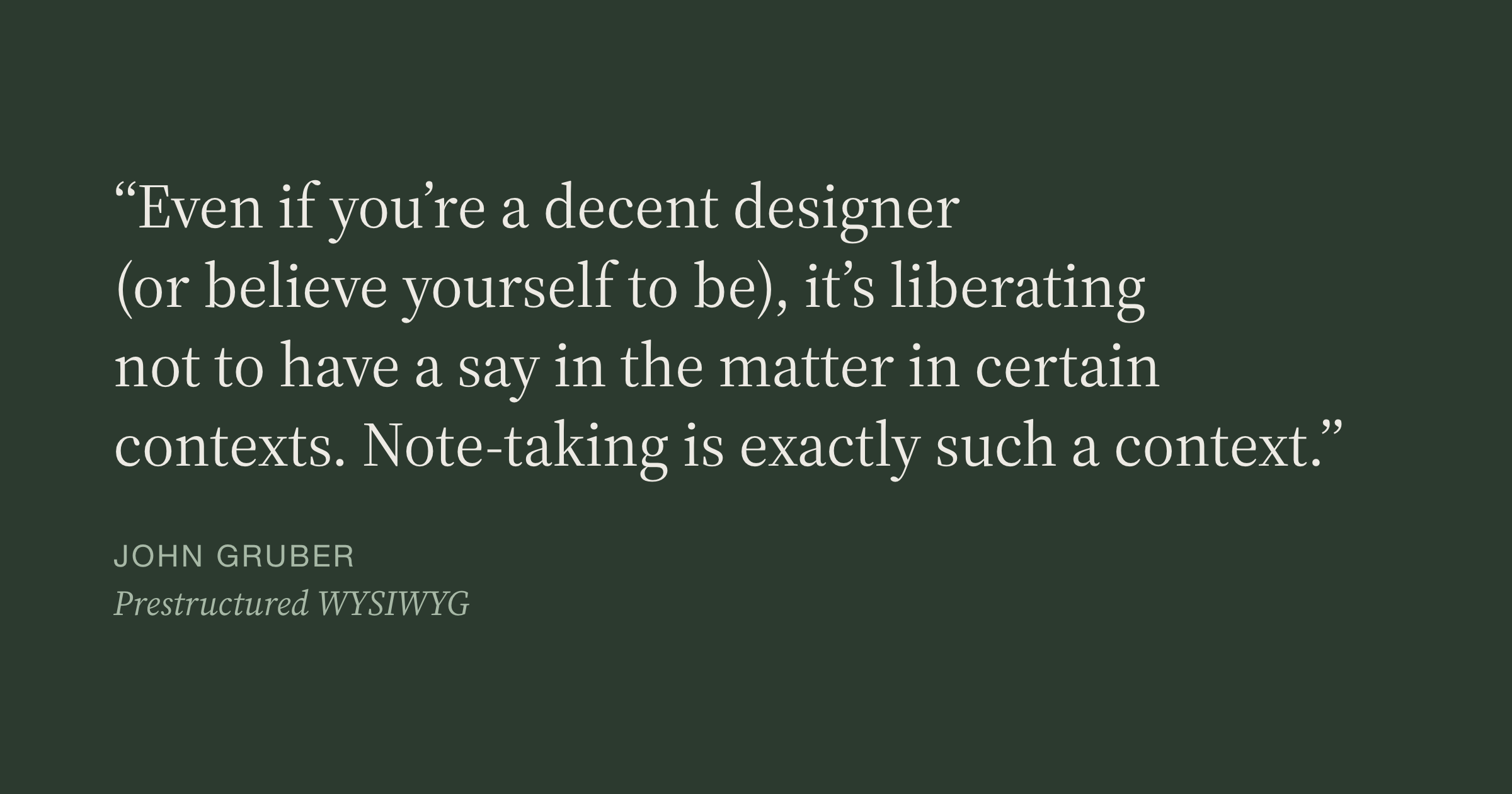
Even if you’re a decent designer (or believe yourself to be), it’s liberating not to have a say in the matter in certain contexts. Note-taking is exactly such a context.
Spot on. When I’m writing, I don’t want to make design decisions. I shouldn’t be expected to. The app should take care of how my notes look.
Earlier this month, I wrote about why I’m building a Markdown notes app even though I don’t particularly like writing Markdown. I talked about ordinary files, ownership and keeping the syntax out of sight.
But Markdown’s constraints matter too. It’s prestructured by design: you can mark a heading, a quote or a table, but there’s no way to pick a font, a size or a colour.
That’s what I’ve been doing with websites all along: make the design decisions once, so the people using them can get on with what they came to do.
Soot is built the same way. I want my notes to look beautiful without having to make them beautiful every time I write.
When to listen, and when to say no
If you make an app, you’re told two things that sound as if they can’t both be true:
- Stick to your vision. Have a clear idea of what you’re making, and don’t let anyone talk you out of it.
- Listen to your users. The people using it know things you don’t.
Stick rigidly to the vision and you stop hearing anything useful. Listen to everyone and the app drifts, one reasonable request at a time, away from what it was meant to be. So the usual answer is to balance the two, and to choose, each time, which of them to follow. I don’t think that’s quite right.
Steve Jobs is usually held up as the case for sticking to your vision. “A lot of times, people don’t know what they want until you show it to them,” he told BusinessWeek in 1998. I think he was right. Ask people what they want from a notes app and you’ll get a very long list, with every item on it perfectly reasonable for the way that person takes notes. Build all of it and you get an app nobody quite wanted.
A year before that interview, Jobs made a decision that shows what sticking to your vision looks like in practice. He had just come back to Apple, which was close to running out of money, and he was closing projects down. One of them was OpenDoc, Apple’s attempt to replace big all-in-one applications with small parts you could combine in a single document, and plenty of developers had built their products on it. At Apple’s developer conference that May, one of those developers stood up and told Jobs, more or less, that he didn’t know what he was talking about.
Jobs stuck with the decision. His argument was that OpenDoc was born of a clever piece of technology rather than of anything Apple’s customers actually needed: “You’ve got to start with the customer experience and work backwards to the technology.” The developer had every reason to be angry: his work depended on OpenDoc. But Jobs was deciding for the Mac as a whole.
Ten years later, people were telling Jobs he was wrong again, this time about the iPhone.
When the iPhone went on sale in June 2007, the only apps on it were Apple’s, and developers wanted to build their own. At WWDC a few weeks before the launch, Jobs offered them web apps instead, which he called a “sweet solution”. According to Walter Isaacson’s biography, Jobs didn’t want other people’s apps on the phone, because outside software could bring viruses and mess the phone up.
Developers didn’t think web apps were enough. By the end of that summer, people were breaking into their phones to install apps Apple hadn’t approved. Art Levinson, on Apple’s board, kept phoning Jobs to argue for opening the phone up, and Phil Schiller, who ran marketing, agreed with Levinson.
In October 2007 Jobs announced that developers would get the tools to build their own apps. The App Store opened the following July.
This time, the answer was yes.
One answer was no and the other was yes, and both look right now. So what decided them?
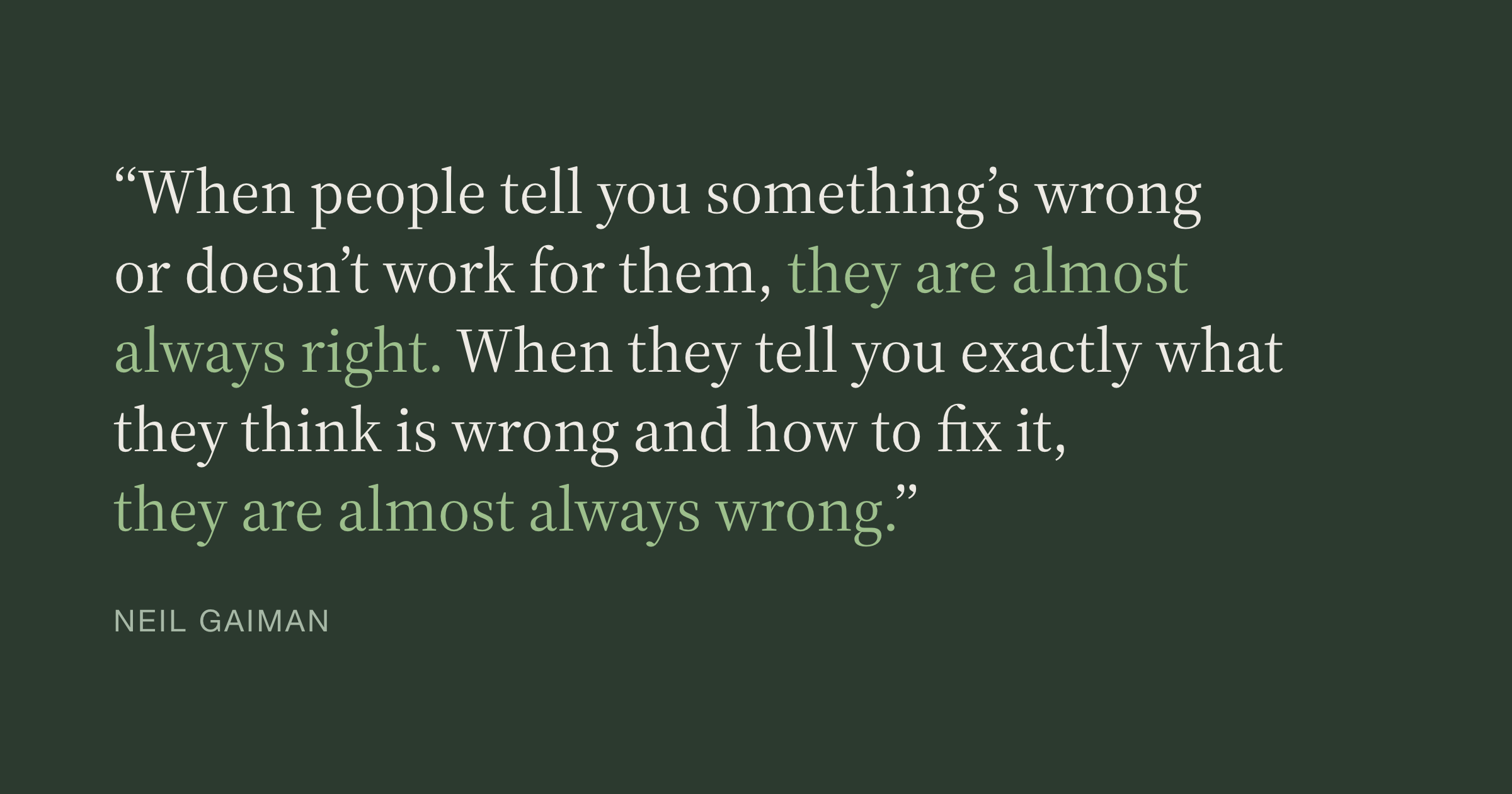
The best description I’ve found of when to listen doesn’t come from tech at all. It’s from Neil Gaiman, in a list of rules for writers the Guardian published in 2010: “when people tell you something’s wrong or doesn’t work for them, they are almost always right. When they tell you exactly what they think is wrong and how to fix it, they are almost always wrong.”
That’s how the two fit together. Listen to people about the problem, and let your vision decide the fix. The people using the thing know where it hurts. The person making it decides what to do about it, because they’re the one looking at the whole of it.
Both of Jobs’s decisions work that way. The iPhone developers were right that web apps weren’t enough, and he accepted that. The shape of the App Store was his: Apple checked every app before it went on sale, which dealt with his worry about viruses too. The OpenDoc developer was right that the decision hurt him. But Jobs was starting from the customer experience, and keeping OpenDoc would have fixed the developer’s problem, not the customers’.
Soot, my notes app, is in beta, so I’m getting a lot of email. Most of it tells me something’s wrong: something didn’t behave the way someone expected, they say so, and they’re nearly always right. I’m grateful to everyone who’s taken the time to write. Those reports are usually bugs, and fixing a bug needs no philosophy.
Feature requests are harder. Sometimes someone asks for something I’d never use myself, and my instinct is to leave it out. But people come to Soot from other apps, and what they’re used to counts for something, so I don’t dismiss those requests. 37signals, the company behind Basecamp, advised in their 2006 book Getting Real to read feature requests and then throw them away, because “the ones that are important will keep bubbling up anyway”. I write them down, but the principle is the same: if other people keep running into the same thing, I know there’s a real problem. What to do about it is still my call, and it isn’t always what was asked for.
Every decision about Soot goes through one filter: does it fit the app I set out to make? Soot has a point of view about how a notes app should look and work, and plugins would let anyone change that, so they don’t get through it, however good the case for them. Nor does syntax that only one other app understands, because every note should stay a plain Markdown file that any app can read.
So I listen to everyone. When the fix someone asks for doesn’t fit Soot, the answer is no, and I keep looking for one that does.
A simple notes app
For a while now my notes have been split between two apps. The ones I write quickly go in Apple Notes. The ones I want as files go in Obsidian. Neither is quite what I want, and that gap is more or less why Soot exists. This week I’ve been thinking again about how I describe Soot, and what should come first when someone lands on the website.
Apple Notes is easy. You open it and type. But your notes live in a database, and these days I want my AI agents to read what I’ve written down, which is hard when it’s shut in there.
Obsidian keeps everything as plain Markdown files in folders, which is exactly what I want underneath. But it’s a lot of app. I got caught up in plugins and settings, and there’s a long list of features I’ll never touch. I never agreed with how it manages attachments, or how my notes are shown in its sidebar, and I never quite got it looking the way I wanted. Plenty of people love all of that. I wanted less of it.
So Soot, my notes app for Mac, iPad and iPhone, sits in between. You open it and write, like Notes. Underneath, every note is a plain Markdown file in a folder you choose, like Obsidian. And there’s less of it: folders, search, twelve themes, and sync if you want it.
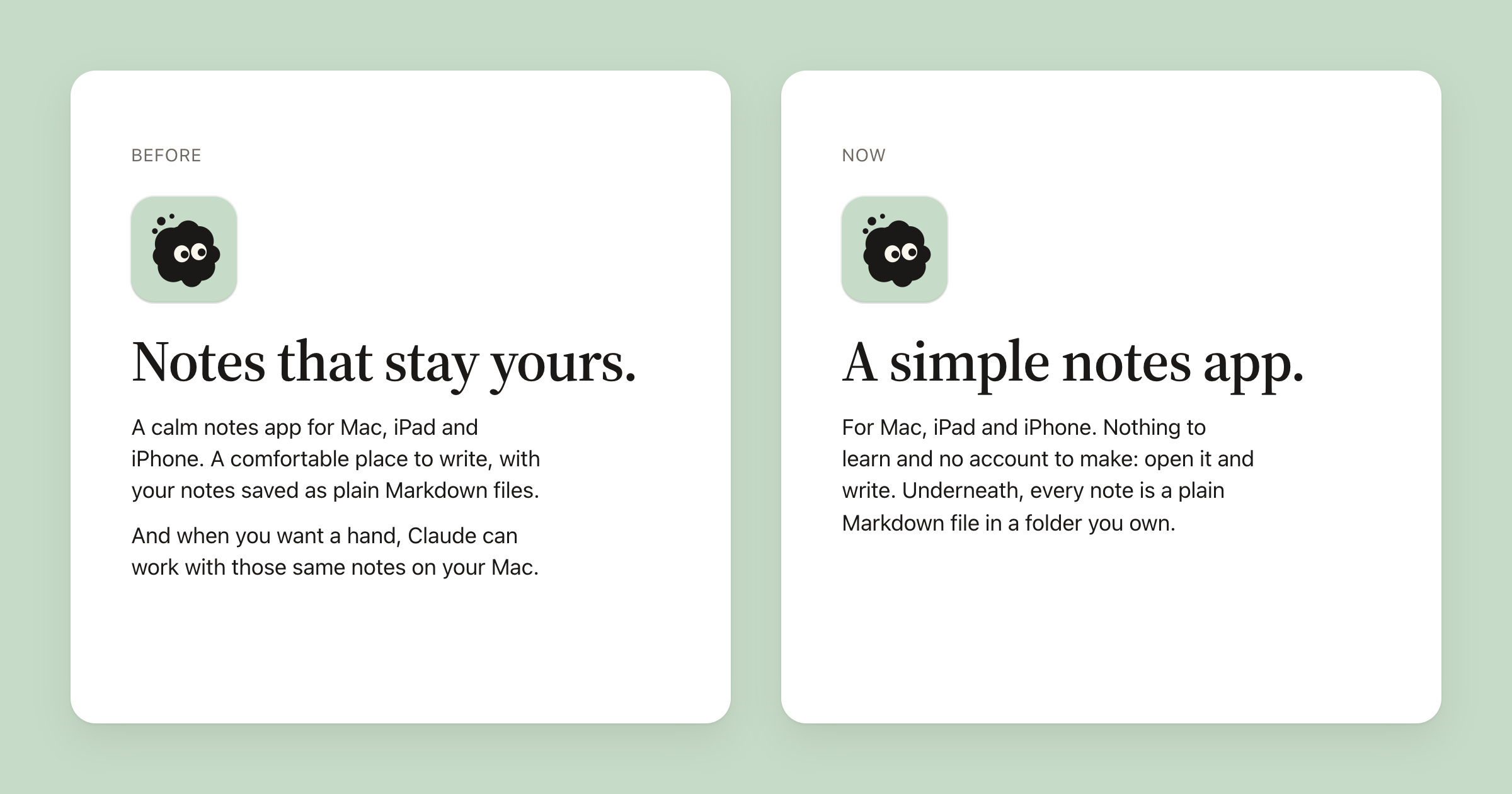
Until this week the website’s headline was “Notes that stay yours.” I liked it. Then I read another notes app’s App Store listing and found the same promise, almost word for word, in its second paragraph. A bit of looking around and it’s everywhere. Everyone with plain files says your files stay yours. It’s true of Soot, but it’s true of half the category, and it’s a promise about what happens if you leave. It says nothing about what it’s like to open the app tomorrow morning.
So the headline is now “A simple notes app.” Which is a worryingly easy thing to say. Every app calls itself simple. What I’ve tried to do underneath is make it checkable: there’s nothing to learn, no account to make, no plugins, and it works offline. Choose a folder and you’re writing. Those are things you can test in the first minute.
“Stay yours” didn’t go away. It moved down the page, where it belongs, next to the bit about every note being an ordinary file you can open in anything else. The AI bit stayed too, because it’s the reason Apple Notes stopped working for me. Soot comes with instructions for assistants to find, read and save your notes, and they work with the plain files on your Mac.
If you’ve read this far thinking “so it’s just a notes app”, then yes. That turned out to be the hard part.
I don’t like Markdown. So why am I building a Markdown notes app?
I don’t particularly like writing Markdown. This is a slightly awkward admission from someone building a Markdown notes app.
Look, I’m an old programmer. I’ve looked at quite enough syntax. When I’m writing a note, I want to think about what I’m trying to say. Having to think about notation pulls a little of my attention towards the mechanics of writing.
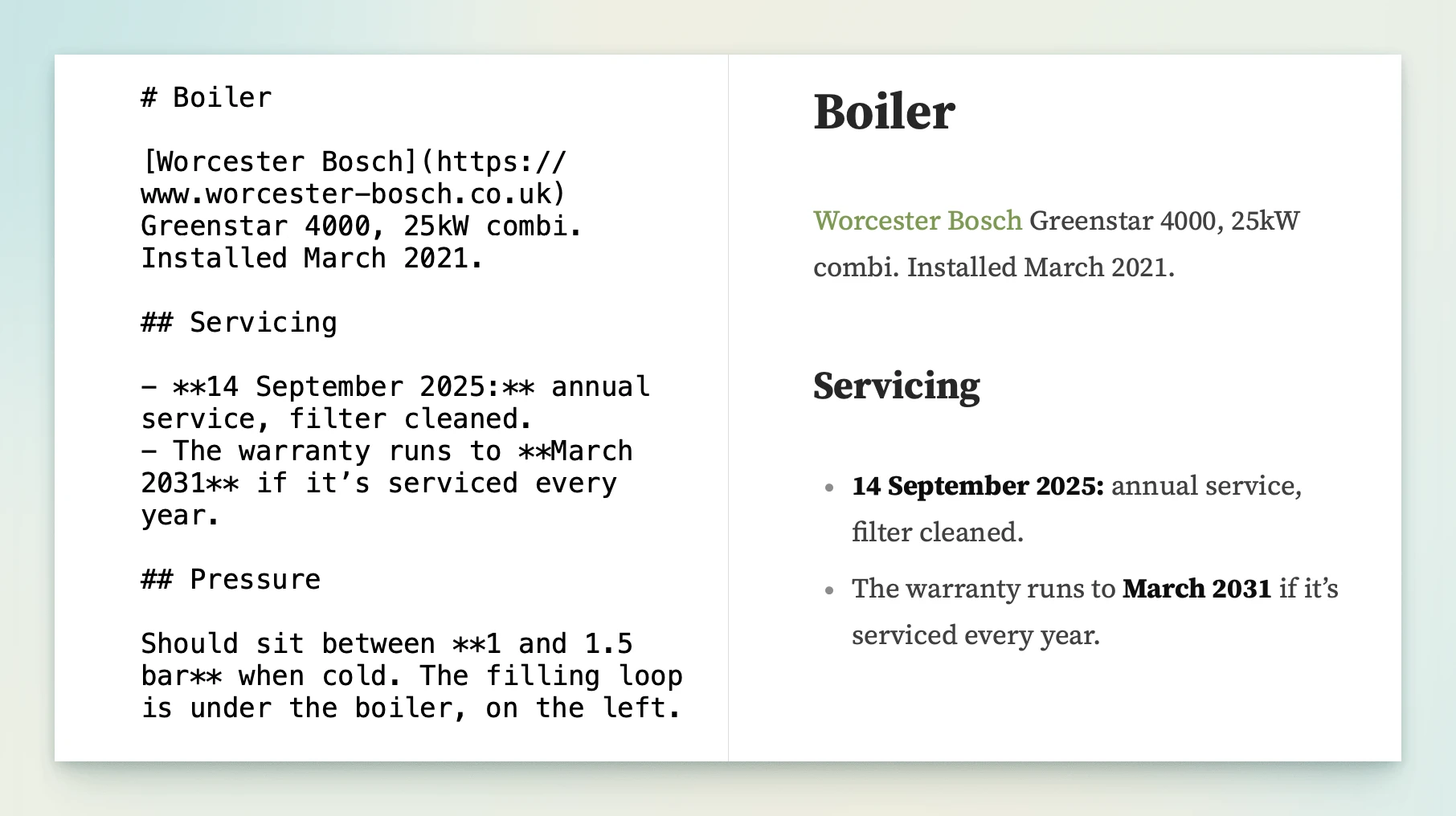
I also care about how my notes look. The typography, the spacing, how everything sits on the page. I want them to be beautiful, even if I’m only writing a shopping list.
So why am I building Soot, my notes app, around Markdown?
Because I like what Markdown gives me as a file format. Plain text files, in ordinary folders. I can back them up however I like, search them with other tools, or move the whole lot somewhere else. On my computer, the notes live in a folder I choose, and other apps can open it too. There’s nothing to export.
Markdown adds enough structure to plain text for the things I need in notes: headings, emphasis, lists, links. And the file still makes sense if I open it in a basic text editor. My AI agents can work with the same files too, which has become rather useful.
That’s a lot to like about a file format. It doesn’t necessarily make it how I want to write.
Back in 2021, John Gruber said, “If you want Markdown, show the Markdown.” He couldn’t see why editors would hide it: the punctuation was designed to be visible.
I’ve been reading Daring Fireball for at least fifteen years and tend to agree with John about most things. Not everything, obviously.
In that post he writes, “Maybe I don’t know much about Markdown.”
Maybe he doesn’t.
I suspect he does, though. He did invent the thing.
And he’s right that it reads well as plain text. That’s what makes it a good file format.
I just don’t want to see it while I’m writing. So in Soot, the note looks formatted while you’re editing it. The Markdown symbols stay out of sight, including on the line you’re typing (though you can show them if you prefer). Underneath, it’s still an ordinary Markdown file.
Maybe I don’t know much about Markdown either.
But I know how I want my notes to look when I’m writing them.
I don’t want AI in my notes app
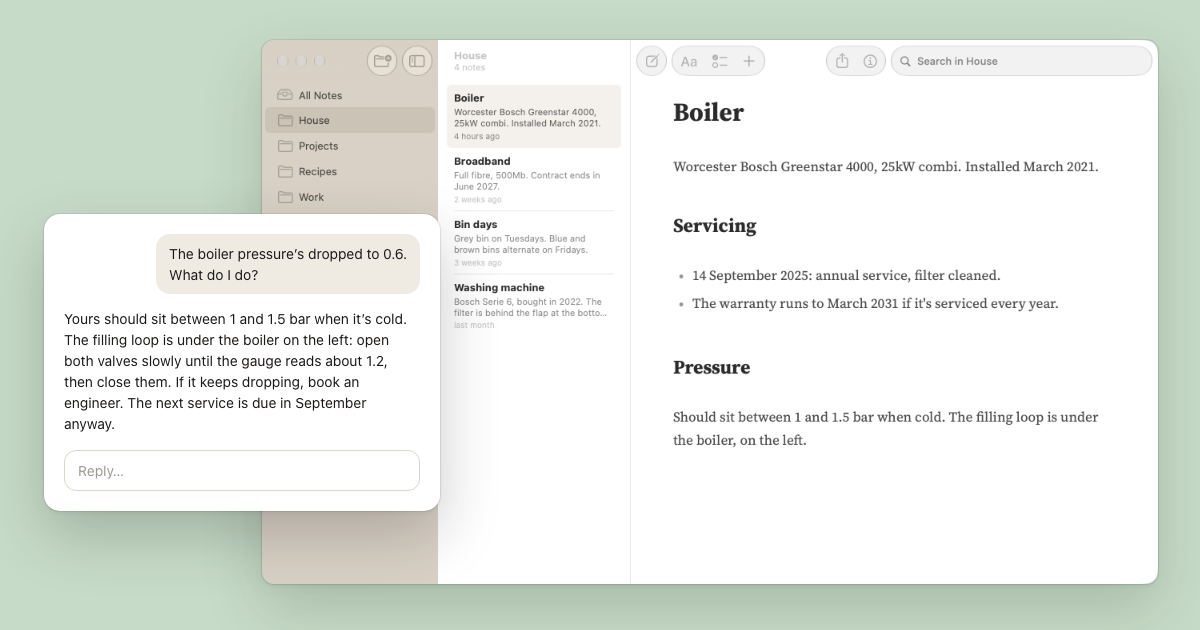
I came to AI agents through my work as a software developer, but what surprised me was how useful they became outside coding: the house, things I’m thinking of buying, and remembering why I decided something six months ago and have since completely forgotten.
The trouble is that every conversation starts from nothing. The agent knows a huge amount about the world and almost nothing about mine. It doesn’t know which boiler I have, how my servers are set up, or that I’ve already looked into this exact question and ruled half the options out. So I’d spend the first few messages explaining myself, then do it all again the next time.
So I started writing the useful context down: model numbers, how the servers fit together, the decisions I’d made and why, the research behind a purchase, where each project had got to.
Then I let the agents at them. They can search my notes, read the ones that matter, update them when we’ve learned something new and write new ones when we’ve worked something out.
My notes used to be somewhere I went to look things up myself, when I remembered to. Now the agents use them too, and the more I write down, the less I have to explain. It’s also the first time I’ve kept notes tidy for more than a fortnight, which my past self would find hard to believe.
But I still want a normal notes app. I don’t want AI to become the only way I get at my own knowledge. Sometimes I want to ask an agent a question about my notes, and sometimes I just want to browse them myself, on whatever device I happen to be using.
That’s a big part of why I’m building Soot, my notes app for Mac, iPad and iPhone. I wanted something simple enough for someone who has never heard of Markdown, and somewhere I enjoy writing. Underneath, every note is an ordinary Markdown file in a folder you choose, so my agents can work with the same notes I do.
I don’t want AI in my notes app. I want my notes to be useful to AI.
Want to try Soot?
Soot is a simple notes app for Mac, iPad and iPhone: a nicer place for your notes. See what it does. If you’d like to try it, leave your email and I’ll invite you to the beta, then let you know when it launches.